Arduino LESSON 7: Using While Loops
Arduino LESSON 7: Using While Loops

We learnt how to utilise for loops in Lesson 3. For loops are quite strong and can handle the majority of your looping requirements. A 'while loop,' on the other hand, is a special sort of loop. The while loop is not superior to the for loop; it is simply a different method of looping. In most cases, you could use either a for loop or a while loop to loop. In lesson 6, we briefly discussed while loops and demonstrated how to utilise one to halt the programme while waiting for user input. In this session, we'll go over how while loops function in greater depth. We'll keep working with the circuit you constructed in Lesson 3 for now. If you need assistance putting it together, refer to Lesson 3.
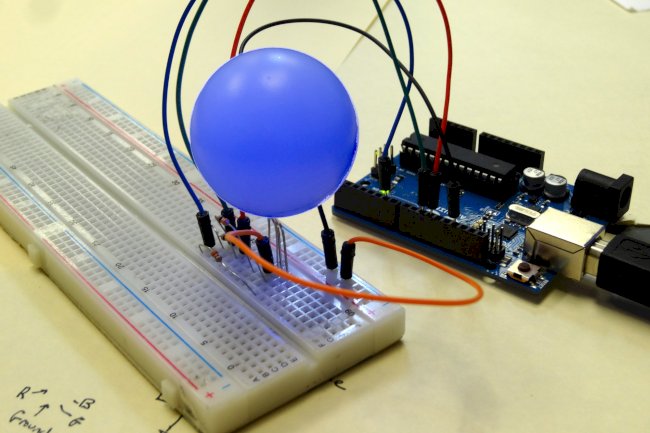
 This circuit will allow you to independently control two Light Emitting Diodes from the arduino microcontroller
Also, we will continue to expand the code we developed in Lesson 6. At the end of Lesson 6, our code looked something like this:
int redLEDPin=9; //Declare redLEDPin an int, and set to pin 9
int yellowLEDPin=10; //Declare yellowLEDPin an int, and set to pin 10
int redOnTime=250; //Declare redOnTime an int, and set to 250 mseconds
int redOffTime=250; //Declare redOffTime an int, and set to 250
int yellowOnTime=250; //Declare yellowOnTime an int, and set to 250
int yellowOffTime=250; //Declare yellowOffTime an int, and set to 250
int numYellowBlinks; //Number of times to blink yellow LED
int numRedBlinks;  //Number of times to blink red LED
String redMessage="The Red LED is Blinking"; //Declaring a String Variable
String yellowMessage= "The Yellow LED is Blinking"; //Declaring a String Variable

void setup() {
  Serial.begin(115200);        // Turn on the Serial Port
  pinMode(redLEDPin, OUTPUT);  // Tell Arduino that redLEDPin is an output pin
  pinMode(yellowLEDPin, OUTPUT);  //Tell Arduino that yellowLEDPin is an output pin

  Serial.println("How Many Times Do You Want the Red LED to Blink? "); //Prompt User for Input
  while (Serial.available()==0){ }  //Wait for User Input
  numRedBlinks = Serial.parseInt(); //Read User Input

  Serial.println("How Many Times Do You Want the Yellow LED to Blink? "); //Prompt User for Input
  while (Serial.available()==0){ } //Wait for Input
  numYellowBlinks = Serial.parseInt(); //Read User Input
}

void loop() {

  Serial.println(redMessage);
  for (int j=1; j<=numRedBlinks; j=j+1) {     // Start our for loop
    Serial.print("   You are on Blink #: ");
    Serial.println(j);
    digitalWrite(redLEDPin,HIGH); //Turn red LED on
    delay(redOnTime);             //Leave on for redOnTime
    digitalWrite(redLEDPin,LOW);  //Turn red LED off
    delay(redOffTime);            //Leave off for redOffTime
}
  Serial.println(" ");
  Serial.println(yellowMessage);
  for (int j=1; j<=numYellowBlinks; j=j+1) {     // Start our for loop
    Serial.print("   You are on Blink #: ");
    Serial.println(j);
    digitalWrite(yellowLEDPin,HIGH); //Turn yellow LED on
    delay(yellowOnTime);             //Leave on for yellowOnTime
    digitalWrite(yellowLEDPin,LOW);  //Turn yellow LED off
    delay(yellowOffTime);            //Leave off for yellowOffTime
}
Serial.println(" ");
}
In the code above, you can see that we are requesting the user for input, then waiting, and then entering the data for both numRedBlinks and numYellowBlinks. This lets the user to control the amount of times the LEDs on the serial monitor blink. The blinking is accomplished by the use of two for loops. Another method for looping is to use 'while loops.' When creating code, you can frequently pick between a for loop and a while loop. Some people use both forms of loops regularly, while others have a bias for one or the other and virtually always employ their chosen style of loop. It is useful to understand how to utilise both kinds, therefore we will look at the while loop here.
Lets look at how one might work:
int j = 1 ; //declare the variable j to be an int and set value to 1
while (j<=10) {     //start your while loop
Serial.println(j);  // print the number j
j=j+1               // increment j by 1
}                   // end of the while loop
Let's have a look at this code and see how it works. To begin, note that the while loop will execute one or more instructions. It will carry out the commands between the curly brackets. It will keep executing the instructions within the curly brackets as long as the 'condition' stated in the while loop's parenthesis is true. In the above example, it will continue to execute the instructions enclosed by curly brackets as long as j is less than or equal to ten. You'll note that we're incrementing j by one every time we run the loop. This assures that it will escape the loop at some point. If we fail to increase j, the programme will become stuck in the loop. This would result in what is known as an infinite loop, and the software would become stuck in it.
So, in the code above, we begin by setting j=1, and then increment j by one every time we loop. The programme will continue to execute this loop until the condition is no longer true... in this example, if the condition is no longer true at j=11, the programme will skip the curly bracket and go to the first line of code following the closing curly bracket.
So, for this lesson, we'll replace the for loops in the original code presented at the beginning of this session with while loops. There is one for the red LED blinking loop and one for the yellow LED blinking loop. Substitute while loops for the two for loops. Let's take a look at the first for loop once more:
 for (int j=1; j<=numRedBlinks; j=j+1) {     // Start our for loop
    Serial.print("   You are on Blink #: ");
    Serial.println(j);
    digitalWrite(redLEDPin,HIGH); //Turn red LED on
    delay(redOnTime);             //Leave on for redOnTime
    digitalWrite(redLEDPin,LOW);  //Turn red LED off
    delay(redOffTime);            //Leave off for redOffTime
}
Lets do the same function with a while loop. We could replace this code with:
int j=1;
while (j<=numRedBlinks) {     // Start our while loop
    Serial.print("   You are on Blink #: ");
    Serial.println(j);
    digitalWrite(redLEDPin,HIGH); //Turn red LED on
    delay(redOnTime);             //Leave on for redOnTime
    digitalWrite(redLEDPin,LOW);  //Turn red LED off
    delay(redOffTime);            //Leave off for redOffTime
    j=j+1                         //don't forget to increment your j;
} // this curly bracket ends the while loopWhat's Your Reaction?